What Must My Old MSP Hand Over When I Change IT Providers?
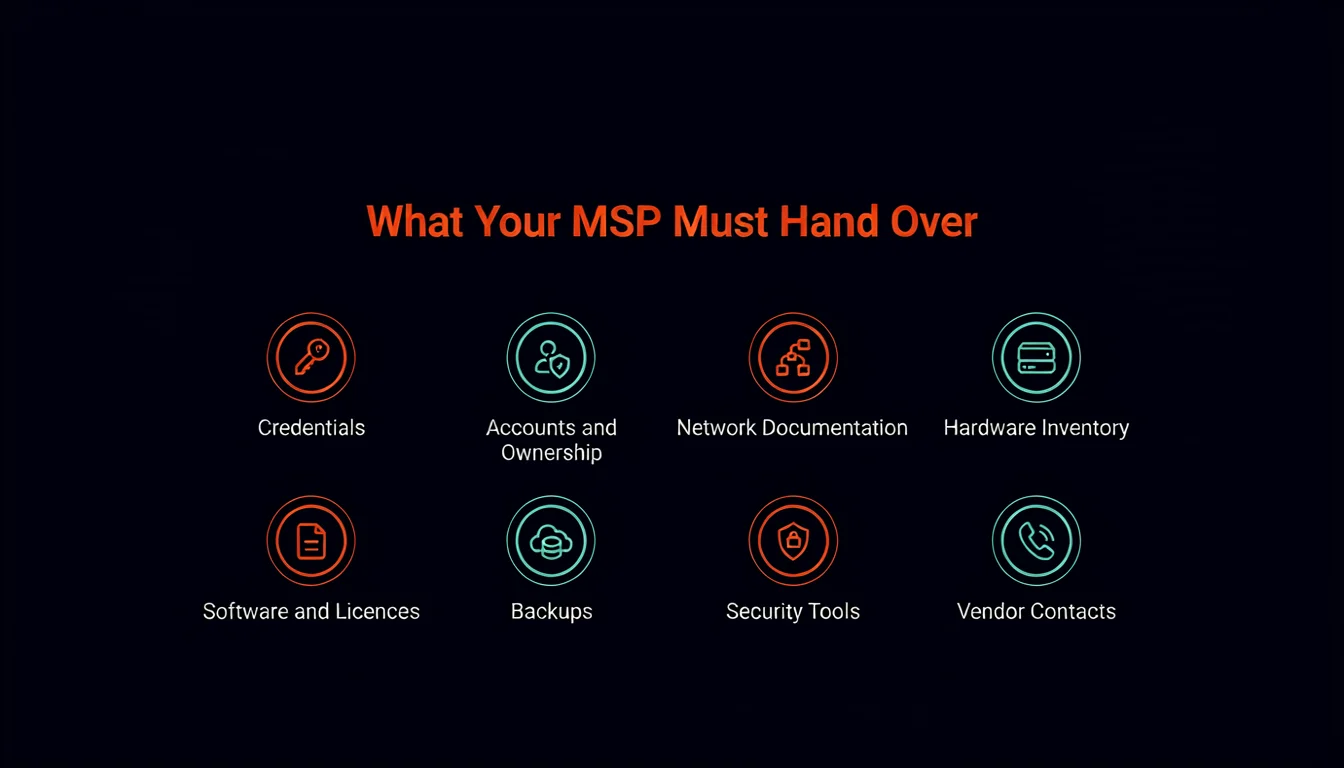
When you change IT providers, your outgoing MSP must hand over everything needed to keep your business running without interruption. This includes all administrative credentials and passwords, domain and DNS access, network documentation, device and hardware records, software licences, backup configurations, security tool access, vendor contacts and complete IT documentation. Without a thorough handover, your new provider starts blind — and your business is left exposed.
Why a Complete Handover Matters
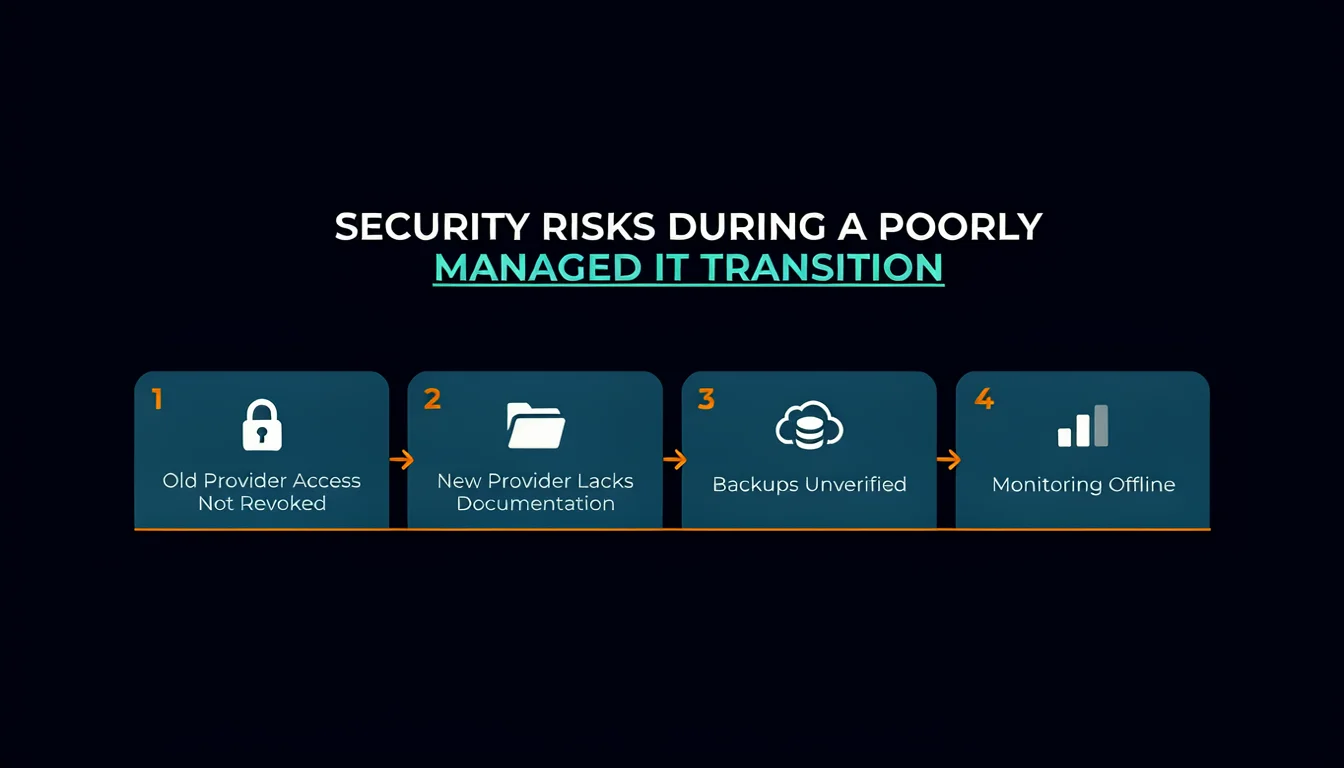
Switching IT providers is a routine business decision — but a poorly managed handover creates real risk. If your outgoing MSP retains access to your systems, or your new provider lacks the documentation to manage your environment, you are left with a security gap and a support gap at the same time.
Common problems that arise from incomplete handovers include:
- Former provider still holding admin access to your Microsoft 365 tenant, firewall or servers
- New provider unable to locate backup credentials or verify whether backups are working
- Domain registrar or DNS access locked to the outgoing provider’s account
- Software licences registered under the old provider’s partner account
- No documentation of your network layout, devices or known issues
- Security tools still reporting to the old provider’s management platform
A complete handover protects your business and gives your new provider the best possible start.
Administrative Accounts and Passwords
Your outgoing MSP must hand over all administrative credentials for every system they have managed on your behalf. This includes:
- Microsoft 365 Global Administrator credentials
- Google Workspace Super Admin credentials
- Firewall administrator accounts and passwords
- Server administrator accounts (local and domain)
- Network switch and access point management credentials
- Backup platform administrator credentials
- Any remote monitoring and management (RMM) platform access
- Any endpoint security or antivirus management console credentials
Multi-factor authentication (MFA) complicates this process. If MFA is registered to the outgoing provider’s device or phone number, access cannot be transferred simply by handing over a password. Your new provider needs to work through MFA recovery or re-registration for each affected account. Plan for this early — it is one of the most common delays in a provider transition.
Domain, DNS, Email and Cloud Account Ownership
Your business domain name is a critical asset. You must confirm:
- Who the registered owner of your domain name is
- Which registrar holds the domain
- Whether login access to the registrar account belongs to you or to the outgoing provider
- The domain expiry date and renewal responsibility
- Full DNS record access — including MX, SPF, DKIM, DMARC and any CNAME or A records
- Any hosted DNS platform credentials separate from the registrar
- Microsoft 365 or Google Workspace tenant ownership and verified domain status
If your domain or DNS is locked inside the outgoing provider’s account, this needs to be resolved before or during the transition — not after.
Network and Infrastructure Documentation
Your new provider needs accurate network documentation to manage and support your environment effectively. Your outgoing MSP should hand over:
- Network diagrams showing physical and logical layout
- IP address scheme and subnet documentation
- VLAN configuration details
- Firewall rules, policies and configuration backup files
- Wi-Fi network names, passwords and access point locations
- VPN configurations and credentials
- ISP account details, connection types and support contacts
- Any static IP allocations and their purposes
Device and Hardware Inventory
A complete hardware inventory helps your new provider understand what they are managing. This should include:
- All workstations, laptops and mobile devices — make, model and serial number
- Servers — make, model, serial number and role
- Network equipment — switches, routers, firewalls and access points
- Printers and multifunction devices
- Any specialist or industry-specific hardware
- Warranty and support contract status for each device
- Age and replacement schedule where known
This inventory is the foundation of good asset management and proactive support planning.
Software Licences and Subscriptions
Every piece of software running in your environment needs to be accounted for. Your outgoing MSP should hand over:
- All software licence keys and activation details
- Microsoft 365 subscription details — licence type, user count and renewal date
- Any software licenced under the provider’s partner agreement (these may need to be transferred or re-purchased)
- Accounting, CRM, industry-specific and line-of-business application licences
- Subscription renewal dates and billing contacts
- Any software that will no longer be supported after the transition
Pay particular attention to software licenced through your MSP’s partner programme. When you leave, those licences may not automatically transfer with you.
Backup and Business Continuity Information
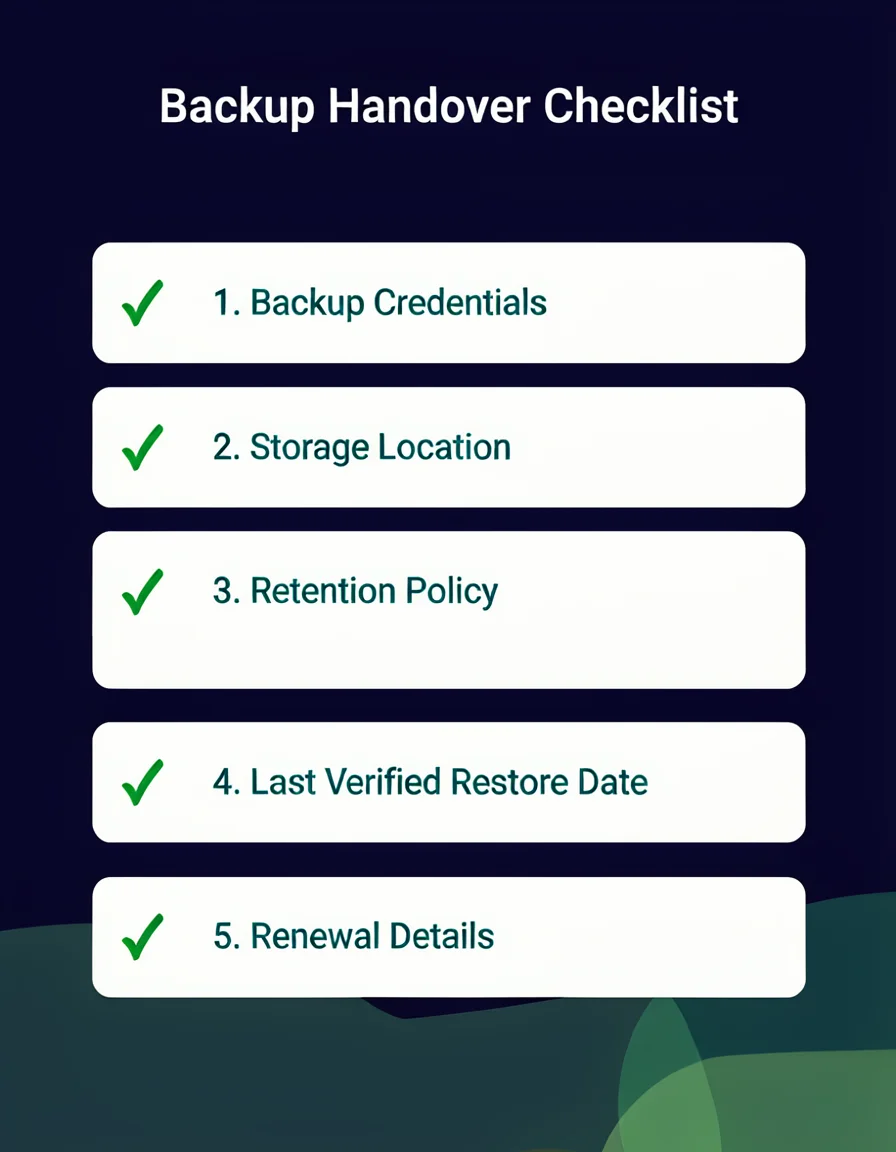
Backup continuity is one of the most critical parts of any MSP handover. Your outgoing provider must hand over:
- Backup platform credentials and management console access
- Details of what is being backed up — servers, workstations, Microsoft 365 data, cloud data
- Backup frequency and retention policy
- Backup storage location — local, offsite or cloud
- Date and result of the last verified restore test
- Any business continuity or disaster recovery plan documentation
- Backup subscription or licence renewal details
Your new provider should independently verify that backups are functioning correctly as part of onboarding — not simply accept the outgoing provider’s word for it. Backup failures that have gone unnoticed are discovered far too often during provider transitions.
Security Tools and Cybersecurity Controls
Cybersecurity tools managed by your outgoing provider need to be transitioned carefully. Handing these over incorrectly — or leaving them active under the old provider — creates a serious security risk. This includes:
- Endpoint protection and antivirus management console access
- Email security platform credentials (spam filtering, sandboxing, mail gateway)
- Multi-factor authentication platform details
- Security awareness training platform access
- Dark web monitoring or breach detection platform details
- Any SIEM or security monitoring platform credentials
- Firewall security policies and active rules
- Any conditional access policies configured in Microsoft 365 or Azure
Once the transition is complete, your new provider should confirm that none of the outgoing provider’s accounts, agents or monitoring tools remain active in your environment.
Vendor, Carrier and Support Contacts
Your new provider needs to know who else is involved in your technology environment:
- Internet service provider (ISP) — account number, support contact and contract details
- Phone and VoIP provider details
- Hardware warranty and support contacts
- Cloud platform vendor contacts
- Software vendor support contacts
- Any third-party IT vendors or specialist contractors involved in your environment
IT Documentation, Procedures and Known Issues
Good documentation is one of the most valuable assets an MSP can hand over — and one of the most commonly withheld. At a minimum, request:
- Standard operating procedures for routine IT tasks
- Known issues or ongoing problems in your environment
- Any recent changes or projects in progress
- User account list — active, inactive and shared accounts
- Distribution group and shared mailbox details
- Any custom configurations or non-standard setups that affect daily operations
Open Tickets, Active Projects and Upcoming Renewals
Before the handover is complete, confirm:
- Any open support tickets — status and next steps
- Any projects in progress that will not be completed before transition
- All upcoming licence, subscription and contract renewal dates
- Any outstanding hardware orders or deliveries
- Any known scheduled maintenance or planned changes
Revoking Former Provider Access After the Transition
Once your new provider is in place and has confirmed they have everything they need, former provider access must be removed. This includes:
- Removing any admin accounts created by or for the outgoing provider
- Revoking remote access tools (RMM agents) installed by the outgoing provider
- Removing the outgoing provider from any vendor or carrier accounts where they were listed
- Changing passwords for any shared accounts the outgoing provider had access to
- Reviewing Microsoft 365 admin roles and removing any that belonged to the outgoing provider
- Confirming no active sessions or delegated access remain
This step is often overlooked. Leaving former provider access in place — even unintentionally — is a security risk.
What Your New IT Provider Should Do When They Take Over
A thorough new provider won’t simply accept the handover documentation at face value. During onboarding, your new provider should:
- Independently verify that all backups are functioning and restores are tested
- Audit all administrative accounts and remove any that are unnecessary
- Confirm all security tools are active and reporting correctly
- Review firewall rules and remove any that are outdated or unexplained
- Confirm MFA is properly configured for all admin and user accounts
- Validate the accuracy of the device and software inventory
- Identify any gaps or risks in the environment
- Produce their own baseline documentation of your environment
At Netlogyx, when we take over a new client’s environment we conduct a structured onboarding assessment that covers security, backups, accounts and asset inventory. This gives us an accurate picture of what we are managing from day one and identifies any issues that need to be addressed early.
Thinking about switching IT providers?
Talk to Netlogyx about taking over your IT environment on the Gold Coast or across South East Queensland. We’ll walk you through the process and make sure nothing gets missed.
MSP Handover Checklist: 23 Things to Request From Your Outgoing Provider
Use this checklist when planning your IT provider transition:
- Microsoft 365 or Google Workspace Global Admin credentials
- Firewall administrator credentials and configuration backup
- Server administrator credentials (local and domain)
- Network switch and Wi-Fi management credentials
- Backup platform credentials and restore verification
- RMM platform access or agent removal confirmation
- Endpoint security management console credentials
- Email security platform credentials
- Domain registrar login and ownership confirmation
- Full DNS record access and documentation
- ISP account details and support contacts
- Network diagrams and IP address documentation
- VLAN and VPN configuration details
- Complete hardware and device inventory
- Software licence keys and renewal dates
- Microsoft 365 licence type, count and renewal date
- Vendor and carrier contact list
- IT documentation and known issues log
- Active user account list including shared accounts
- Open support tickets and project status
- Upcoming renewal and contract dates
- Business continuity and disaster recovery documentation
- Confirmation that all former provider access has been revoked
Frequently Asked Questions
Can my old MSP refuse to hand over my passwords and admin access?
No. Administrative credentials for your own business systems — including your Microsoft 365 tenant, domain registrar, firewall and servers — belong to you, not your IT provider. Your outgoing MSP has no legitimate right to withhold them. If access is being withheld, your new provider can help you recover access through vendor support channels for most major platforms.
How long does an MSP transition typically take?
A straightforward transition for a small business can be completed in a few days to a couple of weeks. Larger or more complex environments — with multiple sites, servers, cloud platforms and custom configurations — typically take longer. The biggest delays usually come from MFA re-registration, locating missing documentation and resolving software licences tied to the outgoing provider’s partner account.
What if my old MSP is uncooperative during the handover?
Most providers will cooperate professionally. If they do not, most critical accounts — including Microsoft 365, Google Workspace and domain registrars — have account recovery processes that can restore access through verified ownership. Your new provider should know how to navigate these. Keep records of all communication during the transition.
Should I give my new provider time to overlap with my old provider?
An overlap period — even a short one — can make the transition smoother, particularly for complex environments. It allows the new provider to ask clarifying questions directly and reduces the risk of gaps in documentation. Not all outgoing providers will agree to this, but it is worth requesting.
What happens to software licenced through my old MSP’s partner account?
This depends on the software and the licensing model. Some licences can be transferred to a new partner. Others may need to be cancelled and re-purchased directly or through your new provider. Your new provider should audit all licences during onboarding and flag any that are at risk.
Do I need to notify my staff about the IT provider change?
Yes. Staff should know who to contact for IT support after the transition, what the new support process looks like, and whether anything will change in their day-to-day IT experience. Good communication reduces confusion and support requests during the transition period.
Ready to make the switch?
Netlogyx provides managed IT support for businesses on the Gold Coast and across South East Queensland. If you are planning a provider transition and want to make sure it goes smoothly, we are happy to talk you through what to expect.
For more information about our managed IT support services, visit our Managed IT Support Gold Coast page.
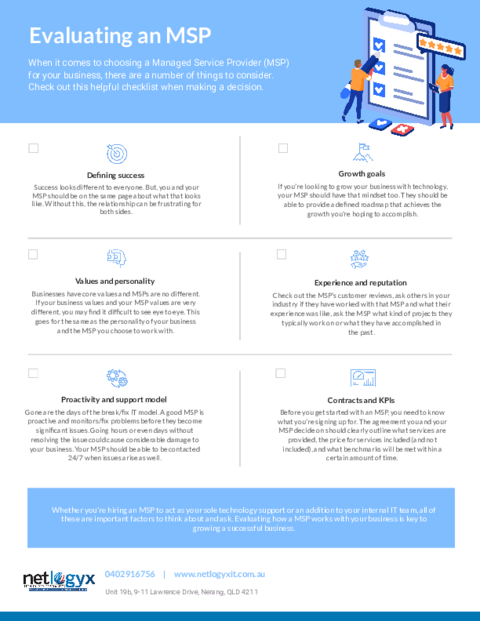
Free Netlogyx resource
Get the Evaluating an MSP: A Checklist
Know what to check when reviewing or changing managed IT providers.
Get my free guide →Enter your name and email to access this resource. Marketing consent is optional.
Browse all free IT guides