
3CX Call Intelligence is a workflow set built to move call information into the systems your team already uses. It combines speech-to-text, AI review and PSA updates so call details can be captured, checked and recorded with less manual rework. For Australian small businesses, the main value is consistency across call handling, ticket creation and follow-up.

This workflow set centres on turning 3CX call recordings into structured business records. The main workflow, 3cx Call to Job Sheet Conversion, can start from an email, run on demand or on a schedule. It downloads call audio, uses AssemblyAI speech-to-text and an AI agent with OpenRouter models to interpret the call, then creates or updates records in ConnectWise PSA and Microsoft 365. A second workflow acts as a reusable call intelligence archive, while the third supports review of unknown callers through a form-based process. The result is a more controlled path from call to action, with fewer manual copy-and-paste steps and clearer handling of unknown numbers.
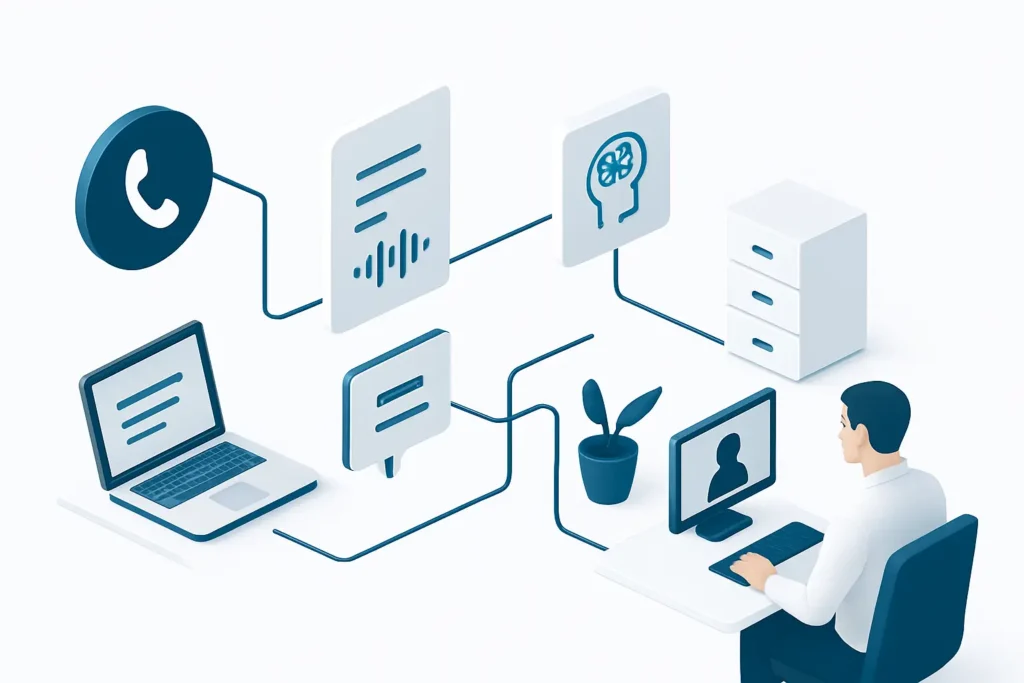
The workflow removes a lot of the repetitive steps involved in listening to calls, writing summaries and entering details into multiple systems. That makes call follow-up more consistent and easier to keep up with during busy periods.
Call details are turned into structured records that can be used for tickets, time entries and notes in ConnectWise PSA. This reduces the chance of missed information or inconsistent wording between team members.
The review workflow gives staff a defined path for checking unknown numbers, validating company matches and deciding what to do next. That is useful where incoming calls need a human decision before they are linked to a customer record.
Call intelligence is stored in n8n Data Tables and can be reused by other workflows. This makes it easier to trace what was captured from a call and how it was handled later.
The set works with Microsoft Outlook and Microsoft 365, so call-related actions can sit alongside the email and admin tools many businesses already use. That can make adoption simpler than introducing a separate standalone process.
Turns 3CX call audio into structured job sheets, notes and time entries, then creates or updates records in ConnectWise PSA.
Reads stored call intelligence from n8n Data Tables so other workflows can reuse it without rebuilding the same logic.
Guides staff through reviewing unknown callers, checking company matches and recording the outcome in ConnectWise PSA and Microsoft 365.
AI agentAssemblyAI speech-to-textConnectWise PSAMicrosoft 365Microsoft OutlookOpenRouter AI modelsn8n Data Tables
3CX Call Intelligence is a practical workflow set for businesses that want call handling to feed directly into their service and admin systems. Its strength is not flashy automation, but the way it turns recordings into structured records, then adds a review path for unknown callers. It is best suited to teams that already rely on 3CX, ConnectWise PSA and Microsoft 365. The main limitation is that it still depends on good call audio, sensible review rules and staff oversight for edge cases. For the right environment, it can make call administration more orderly and easier to manage.
Want automations like these working in your business? We will look at where your team loses time today and map out practical, low-risk automation and AI opportunities. No obligation, and we are not looking to replace your current provider.
Book a Complimentary Discovery Session TodayTake the Business Systems Health Check
It helps turn 3CX call recordings into structured business records. The main workflow transcribes the call, uses AI to organise the information and then creates or updates job sheets, notes and time entries in ConnectWise PSA. It also includes a review process for unknown callers.
Yes. The workflow reduces manual work, but it does not replace judgement. Unknown callers, unclear audio and unusual cases still need someone to review the output, validate the company match and decide whether the call should be linked, corrected or created as a new record.
The connected systems listed are AI agent, AssemblyAI speech-to-text, ConnectWise PSA, Microsoft 365, Microsoft Outlook, OpenRouter AI models and n8n Data Tables. The workflows use these tools to transcribe calls, structure information, store call intelligence and update business records.
It can be, especially if your team handles a steady flow of calls and already uses 3CX, ConnectWise PSA or Microsoft 365. The main question is whether you want call details captured in a more structured way and whether you have a clear process for reviewing unknown callers.